
Post Scheduler
Schedule a New Post
Scheduled Posts
Facebook Post
Excited to announce our new product launch next week! Stay tuned for updates.
Twitter Post
Just published a new blog post about the future of AI in business. Check it out! #AI #Business
Instagram Post
Behind the scenes at our photo shoot today! Can’t wait to share the final results.
Calendar
Post Analytics
12 scheduled posts
8 scheduled posts
5 scheduled posts
3 scheduled posts
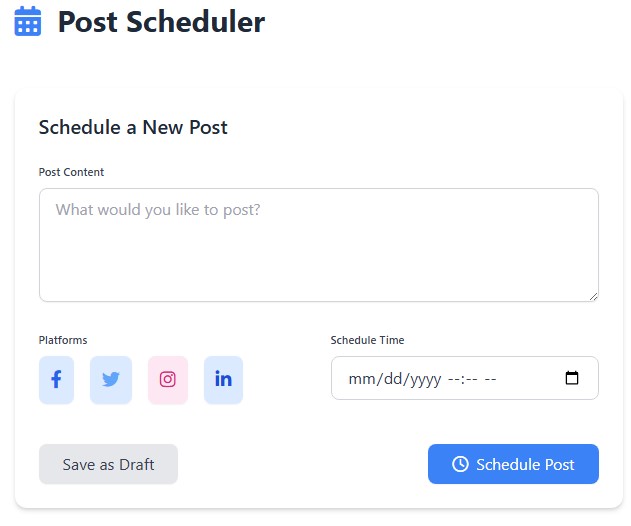
Social Media Post Scheduler – Simplify Your Online Presence
Managing multiple social media accounts can feel overwhelming, especially when you want to stay consistent. That is where a Social Media Post Scheduler comes in handy. It allows you to plan, create, and publish content automatically, so you can focus more on connecting with your audience.
What Is a Social Media Post Scheduler?
A Social Media Post Scheduler is a tool that lets you schedule posts in advance for platforms like Facebook, Instagram, LinkedIn, and more. Instead of posting manually every day, you can set everything up in one sitting and let the tool publish on your behalf. This approach saves time and ensures that your content always goes live at the right moment.
Why Should You Use a Scheduler?
Consistency is the key to growing any social media presence. When you use a scheduling tool, you:
- Save time by batching your content creation.
- Reach audiences worldwide by posting at the best times, even when you’re asleep.
- Stay organized with calendars that help you plan campaigns.
- Boost engagement by showing up regularly in your followers’ feeds.
These benefits make social media management smoother and less stressful.
Key Features to Look For
When choosing a scheduler, make sure it offers features that match your needs. Some must-have options include:
- A user-friendly content calendar
- Multi-platform support
- Post previews before publishing
- Analytics to track performance
- Team collaboration tools
Having these features ensures that your social media strategy runs seamlessly and delivers better results.
How to Get Started
Getting started with a scheduler is easy:
- Sign up with a trusted platform.
- Connect your social media accounts.
- Plan your posts for the week or month.
- Add captions, images, and hashtags.
- Set the publishing date and time.
Once done, you can relax knowing your posts will publish automatically.
Final Thoughts
Using a Social Media Post Scheduler helps you save time, stay consistent, and grow your online presence without stress. It’s an excellent solution for businesses, creators, and anyone looking to manage multiple accounts effortlessly.
FAQs
Q1: Is a scheduler useful for small businesses?
Yes, it helps small businesses save time, maintain consistency, and engage with customers regularly.
Q2: Can I schedule posts for multiple platforms at once?
Most scheduling tools allow you to manage and schedule content across multiple platforms in one dashboard.
Q3: Do I need technical skills to use it?
No, most tools are user-friendly and designed for beginners, so anyone can get started quickly.