
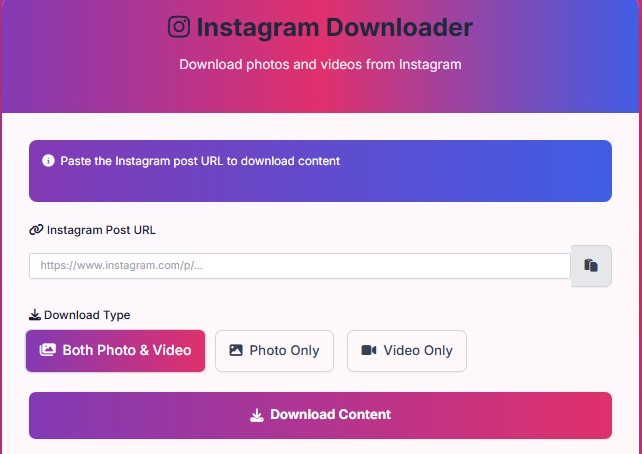
Instagram Downloader
Download photos and videos from Instagram
Paste the Instagram post URL to download content
Recent Downloads
How to Use
- Open Instagram and copy the URL of the post you want to download
- Paste the URL in the input field above
- Select the download type (photo, video, or both)
- Click the Download button
- Wait for processing to complete
- Click the download button when it appears
Instagram Photo/Video Downloader – Save Your Favorite Content Easily
What Is an Instagram Photo/Video Downloader?
Instagram is one of the most popular platforms for sharing photos and videos. However, the app does not provide a direct option to save content to your device. That’s where an Instagram Photo/Video Downloader comes in handy. It allows you to download any public photo or video from Instagram in high quality without losing clarity.
With just a simple link, you can instantly save the content you love. Whether it’s a travel picture, a cooking video, or an inspiring reel, this tool makes the process smooth and secure.
Why Use an Instagram Downloader?
People use downloaders for many reasons. Some want to keep memories from friends or family. Others save content for offline viewing or to keep a collection of motivational posts. Using a downloader is convenient, fast, and does not require complex steps.
Additionally, most online tools are free, and you don’t need to install any heavy applications. You simply copy the Instagram link, paste it into the downloader, and get your file within seconds.
How to Download Instagram Photos and Videos?
Using an Instagram downloader is simple. Follow these easy steps:
- Open Instagram and copy the link of the photo or video you want to save.
- Paste the link into the Instagram Photo/Video Downloader.
- Click the download button.
- Save the file to your device.
That’s it! You can now access your downloaded media anytime, even without an internet connection.
Benefits of Using a Downloader
- Fast and Easy: Save content within seconds.
- High Quality: Get clear and sharp downloads.
- Free Access: Most tools don’t charge a fee.
- No Login Needed: Use without entering your Instagram credentials.
Safety and Responsibility
While downloaders are safe to use, always respect privacy and copyright rules. Save content only for personal use and avoid reposting without permission from the original creator. Responsible usage ensures that you enjoy the benefits without harming others’ rights.
FAQs
Q1: Is using an Instagram downloader legal?
Downloading public content for personal use is usually fine, but reposting without permission may violate Instagram’s terms.
Q2: Can I download private account content?
No, downloaders only work with public content. Private account photos or videos cannot be accessed.
Q3: Do I need to install software?
No, most Instagram downloaders work online, so you don’t need to download any app.