
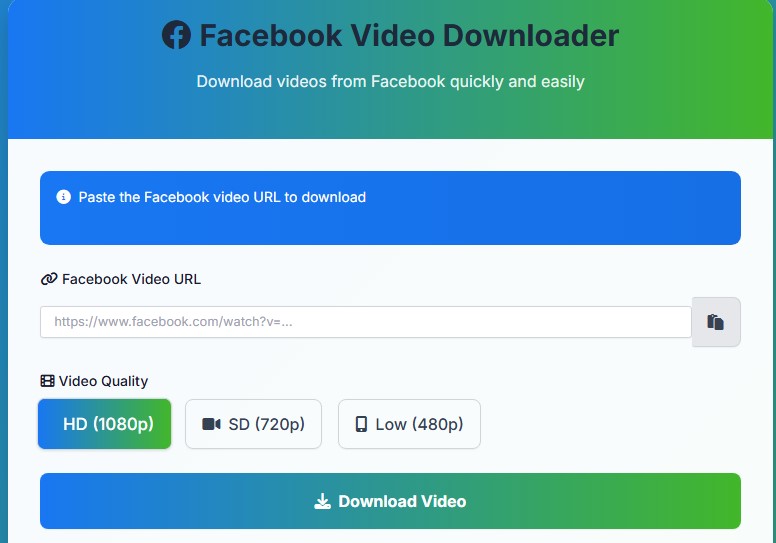
Facebook Video Downloader
Download videos from Facebook quickly and easily
Paste the Facebook video URL to download
Recent Downloads
How to Download Facebook Videos
- 1 Open Facebook and find the video you want to download
- 2 Click on the three dots (⋯) in the top right corner of the video post
- 3 Select “Copy link” or “Copy video URL” from the menu
- 4 Paste the URL in the input field above
- 5 Select your preferred video quality
- 6 Click the Download button and wait for processing to complete
What is a Facebook Video Downloader?
Social media is filled with entertaining, educational, and inspiring videos. However, watching them offline often becomes a challenge. A Facebook Video Downloader is a simple online or app-based tool that allows you to download videos directly from Facebook onto your device. With just a link, you can save content and enjoy it anytime without depending on internet connectivity.
Why Use a Facebook Video Downloader?
Downloading videos from Facebook offers many advantages. You can create your own offline collection of tutorials, recipes, or motivational content. It also ensures you don’t lose access to videos that may later get deleted or become unavailable. For professionals, downloading videos can help in content research, presentations, and offline sharing.
Additionally, having videos saved locally saves data usage when you want to rewatch them multiple times. Instead of streaming again and again, you can simply play them offline.
Features of a Good Downloader
Not every tool is built the same. The best downloaders should offer:
- Fast Speed: Quick downloads without waiting long.
- High Quality: Options to save videos in HD or SD formats.
- Ease of Use: Simple paste-and-download process.
- Device Compatibility: Works across mobiles, tablets, and desktops.
.svg)
Choosing a reliable tool ensures safety, speed, and better viewing experience.
How to Use It Safely
Always use trusted platforms when downloading Facebook videos. Avoid suspicious sites that may contain malware or ads. Check whether the downloader respects user privacy and does not store your downloaded files. You should also keep in mind Facebook’s terms of service and only download content for personal use or when you have permission.
Final Thoughts
A Facebook Video Downloader makes saving videos quick and convenient. Whether you want to learn from tutorials, keep your favorite entertainment clips, or watch without internet, this tool can simplify the process. Always use it wisely, choosing a safe and user-friendly platform.
FAQs
Q1. Can I use a Facebook Video Downloader on my phone?
Yes, most tools work on both mobile devices and desktops, making it easy to download videos anytime.
Q2. Is downloading Facebook videos legal?
It is legal for personal use, but always respect copyrights and permissions before sharing or reusing the content.
Q3. Do these tools cost money?
Many download Facebook videos online are free, though some premium versions offer extra features like faster downloads or higher resolution.