
Email Generator
Craft professional emails for various purposes with ease.
Enter Email Details
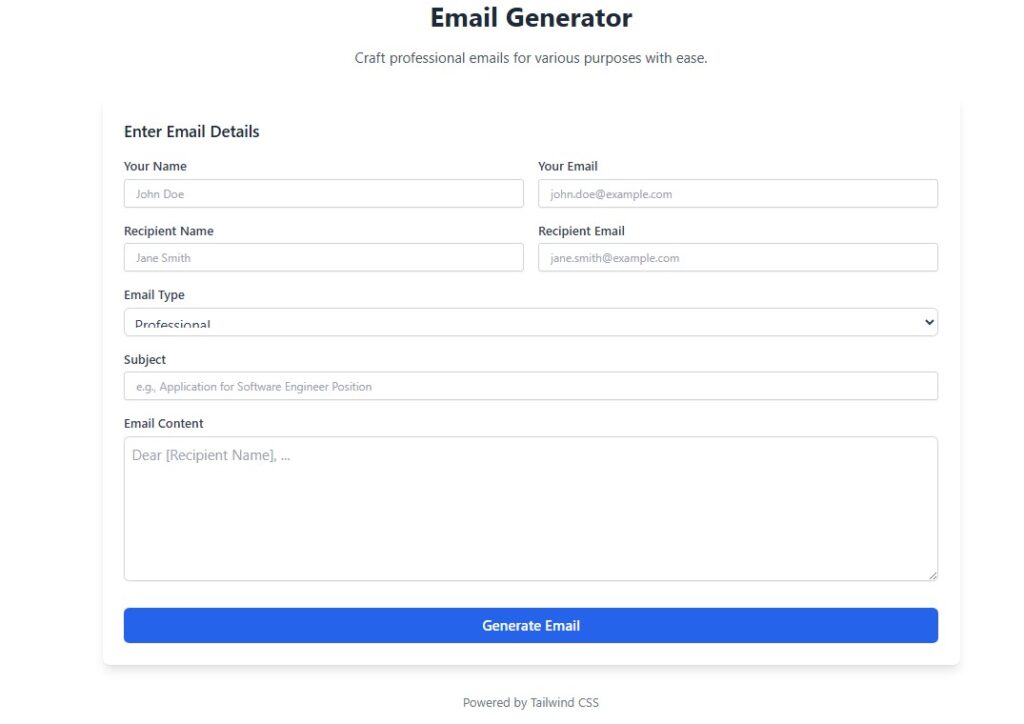
Email Generator – Create Professional Emails in Seconds
Writing the perfect email can take more time than expected. From choosing the right words to maintaining a professional tone, email writing often feels stressful. This is where an Email Generator becomes a helpful tool. It saves time, ensures accuracy, and helps you create messages that look polished and effective.
What is an Email Generator?
An Email Generator is an online tool or software that creates ready-to-use emails based on your input. You only need to provide details like the recipient’s name, subject, purpose of the message, and tone. The tool then instantly generates a clear, professional email that you can send right away.
Instead of starting from scratch, you get a strong foundation that requires minimal editing. Whether you need a business proposal, customer service reply, or casual invitation, the generator makes the process faster and smoother
Benefits of Using an Email Generator
1. Saves Time and Effort
Manually drafting emails every day can feel repetitive. With an Email Generator, you can create a message in seconds, freeing time for other important tasks.
2. Ensures Professional Tone
Maintaining a respectful and professional tone is crucial in business communication. The tool ensures your email looks polished and avoids common mistakes.
3. Improves Clarity and Structure
The generator organizes your message logically, making it easier for recipients to understand your main points. Clear structure leads to better responses.
4. Reduces Stress for Non-Writers
Not everyone is confident in writing. This tool helps individuals who struggle with grammar, spelling, or formatting. It acts like a personal assistant for email writing.
Who Can Use an Email Generator?
- Students: For internship requests, applications, or project updates.
- Professionals: For business proposals, meeting requests, and follow-ups.
- Entrepreneurs: For customer communication, marketing outreach, and networking.
- General Users: For personal messages, invitations, or thank-you emails.
Tips to Get the Best Results
- Always customize the generated email to match your unique style.
- Double-check names, dates, and specific details before sending.
- Keep the subject line short and engaging to improve open rates.
- Use a polite closing statement for better impression.
By combining these tips with the tool, you can send impactful emails without wasting time.
FAQs
Q1. Is using an Email Generator safe?
Yes, most tools are safe. However, always use trusted platforms to avoid data privacy risks.
Q2. Can I use it for formal and casual emails?
Absolutely. The tool allows you to choose different tones, making it suitable for professional or personal use.
Q3. Do I still need to edit the generated email?
Yes, a quick review ensures accuracy and personalization. Small edits make the message more authentic.